

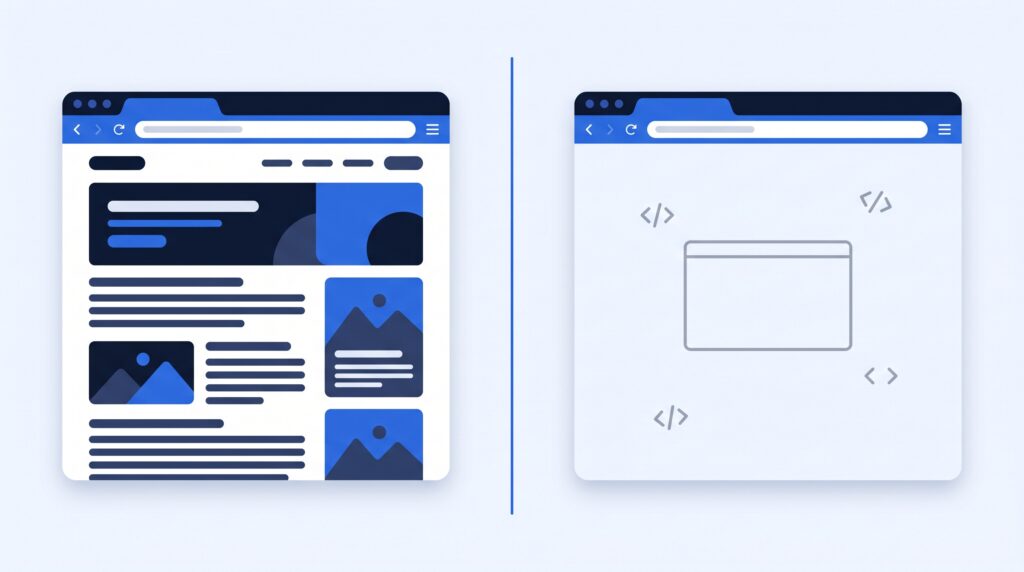
I noticed something after building websites with AI builders like Lovable.
I would tell the AI to create a website with multiple pages. Home. About. Features. Pricing. Contact. Looking at the finished site, everything seemed right. I could click around and it looked like a normal multi-page website.
But underneath, that was not always what I actually had.
I started seeing the problem clearly when I ran my own sites through the Marketur AI Readability Check. My WordPress sites generally came through clean. Some sites I had built with AI builders exposed much bigger readability and routing problems.
That does not mean every AI-built site is broken or every WordPress site is perfect. It does mean there is a technical issue AI-builder users need to know about, because a website can look completely normal to you while a crawler sees something very different.
A website that looks multi-page may still behave like a single-page app
The term I was looking for is client-side routing, often used in a single-page application or SPA.
Instead of the server delivering a complete, unique HTML document for every important URL, the browser can receive an application shell and JavaScript changes what appears on the screen as you navigate.
To a human in a modern browser, this can work beautifully. Click About and you see About. Click Pricing and you see Pricing. Everything feels like a separate page.
But the browser experience and the crawler experience are not necessarily the same thing.
Google itself explains that some JavaScript sites use an app-shell model where the initial HTML does not contain the actual page content and JavaScript has to execute before that content appears. Google can render JavaScript, but Google also recommends server-side or pre-rendering because not every bot can run JavaScript.
Google’s JavaScript SEO documentation explains the difference here.
I found this on websites I actually built
This is not me looking for a reason to bash AI builders. I have used them heavily. I have spent real money on them, built real projects with them and written before about both the good and bad parts of that experience.
The problem is that when I asked an AI builder to create a page, I assumed the word “page” meant the same thing to the builder that it meant to me.
It does not always.
I might mean: create a dedicated URL with unique crawlable content, a proper title, heading, metadata, internal links and useful HTML returned when that URL is requested.
The builder may satisfy the request by creating something that looks like another page after JavaScript runs.
Those can be two very different things.
Why this matters for SEO
Google recommends that every page you care about can be reached through a crawlable link from another page. For JavaScript applications with one HTML page, Google specifically says each screen or individual piece of content should have its own URL.
Google also says links should normally be real <a> elements with an href pointing to a resolvable URL. That matters because crawlers use those links to discover the rest of a site.
Google’s crawlable-link guidance is worth reading if you build with AI or JavaScript frameworks.
The issue is not “JavaScript is bad for SEO.” That would be wrong. The issue is assuming a site is crawlable because it works when you click around in Chrome.
Google is the reason nobody notices
Here is the part that took me longest to understand, and it is the reason this problem hides so well.
Googlebot runs JavaScript. It fetches your page, executes the scripts, builds the full page and indexes what comes out. So a client-rendered site can rank perfectly normally in Google search.
The AI crawlers do not do that. Vercel analysed real crawler traffic across hundreds of millions of fetches and found that none of the major ones execute JavaScript: GPTBot, OAI-SearchBot and ChatGPT-User from OpenAI, ClaudeBot from Anthropic, PerplexityBot, and Meta-ExternalAgent. They request the raw HTML, take whatever text is in it, and leave. There is no second pass and no render queue.
One URL, two very different readers.
That is why checking Google is not a useful test. Your rankings can be fine while ChatGPT, Claude and Perplexity have never seen a word of your actual content. Onely put a number on the scale of it earlier this year: roughly 42% of JavaScript-rendered content never gets indexed by AI systems at all.
The two exceptions worth knowing are Google’s own Gemini, which inherits Googlebot’s rendering, and Applebot, which crawls with a real browser. Everything else is reading your raw HTML.
This is the part I think gets lost in the WordPress versus AI website builders argument. It is rarely about which one produces a better looking site. It is about what each one decides on your behalf while you are not looking.
Now AI discovery makes this more important
Google is not the only crawler I care about anymore.
People are asking ChatGPT, Claude, Perplexity and other AI systems to find products, companies, services and information. That creates another discovery layer on top of traditional search.
I wrote about this in Can ChatGPT Find My Website? and in my guide to making a website easier for AI search to understand.
A site can be visible in a browser, indexed somewhere and still deliver poor or nearly empty HTML to a crawler that does not execute the same JavaScript your browser does.
That is one reason I built the AI Readability Check.
The checker looks beyond the homepage
A basic checker could request your homepage, inspect robots.txt and call it a day. That would miss one of the problems I actually wanted to find.
The Marketur checker samples internal pages too. It prefers deeper content URLs, can fall back to the sitemap when navigation is difficult to discover, and compares the readable text it receives.
That means it can expose a nasty SPA-style problem: several URLs that look different to a user but return essentially the same initial document to a crawler.
Imagine your site has:
//about/pricing/features
A person can visit all four and see four different screens after the application loads. But if the raw response for each route is basically the same shell, a non-JavaScript crawler can have a very different experience.
That is not hypothetical for me. On one of my own AI-built sites, the checker sampled four internal routes and every single one returned the identical readable text as the homepage. Byte for byte. To a crawler that site is one page with several addresses, no matter how much there is to click through in a browser.
The same site, before I fixed the homepage, was returning five words of readable text in its HTML. Five. It looked completely finished to me.
And this is the part worth sitting with: I had asked one AI builder to make sure AI could read the site, and that site came back clean. On the other project the thought never crossed my mind, and that is the one that was invisible. Same builder. Same person. The only difference was whether I thought to ask.
Run your own site through the free AI Readability Check here.
You have to tell the AI what you mean by a page
This is one of the biggest lessons I have learned from AI coding tools.
AI can satisfy the request you typed without satisfying the requirement you had in your head.
Now, when SEO and AI discoverability matter, I want to be explicit. I want important content on unique URLs. I want crawlable internal links. I want meaningful server-delivered or pre-rendered HTML. I want unique titles and headings. I want proper canonical information. I want the important content available without depending entirely on a browser executing the application.
If you are building in Lovable, Bolt, Next.js, Nuxt, Astro, SvelteKit, Gatsby, Framer, Webflow or another modern stack, that does not mean you need to abandon it. It means you need to verify the output instead of assuming the builder handled discoverability for you.
When the Marketur checker detects one of these stacks and finds a readability problem, it gives you a stack-specific fix and a prompt you can take back to the builder.
Then Cloudflare changed the crawler equation too
Rendering is only half the story. Your pages can be perfectly built and a crawler can still be stopped before it reaches them.
Cloudflare announced new AI traffic controls on July 1, 2026 built around three behaviors: Search, Agent and Training. On September 15, 2026 it replaced the old single “Block AI Bots” switch with three independent controls and launched a setting called Disallow AI Training.
That setting solves a problem that had no good answer before it. Some crawlers do two jobs at once. Googlebot, Bingbot and Applebot index you for search and also feed AI training. Refusing one meant refusing the other, so a site that wanted out of training risked dropping out of search entirely.
Disallow AI Training separates the two. Cloudflare also introduced an Accountable designation for crawler operators that provide opt-outs and transparency. Apple, Google and Microsoft qualify for their mixed-use crawlers. Amazon, Anthropic, Meta and OpenAI qualify because they already run separate search and training bots, so blocking training there never touched search anyway.
Two details matter if you run a site behind Cloudflare.
New sites now get recommended settings based on business model. A site that carries advertising is steered toward search crawling on, AI training disallowed, and AI agents blocked on ad-carrying pages. That is a default, not a decision you made.
And the older Block option still stops search along with everything else. If you switched that on at some point to keep AI out, it may be doing more than you intended.
Cloudflare also published a number I found striking: fewer than 1% of the sites on its network block search bots, while 17% already block training in some form.
Cloudflare explains the September 15 changes here.
This creates another problem for website audits. A robots.txt file can tell you what a site says crawlers may request, but it cannot reveal every private firewall, CDN or bot-management rule sitting in front of the server.
That is why the Marketur checker also looks for infrastructure signals from Cloudflare, CloudFront, Fastly and Sucuri and warns when there may be another layer you need to inspect.
Robots.txt is not proof that a crawler can reach you
This distinction matters enough to repeat.
Seeing Allow: / in robots.txt does not prove that a request will make it through a WAF or CDN policy.
The opposite is also important: training and search are not automatically the same thing. I covered that distinction in Should You Block AI Crawlers From Your Website?.
The goal should be to make a deliberate decision about who can access the site and why, then test what an outside crawler actually receives.
This is another reason I came back to WordPress
I have already written about why I went back to WordPress after spending around $600 a month on AI builders, and I have compared WordPress and Lovable from the perspective of someone who actually uses both.
This discovery adds another reason.
I still think AI builders are incredible. They can turn an idea into a working product ridiculously fast. I am not done using them.
But speed can hide technical decisions that were made for you.
With WordPress, when I create a normal page, I start with a real URL and server-delivered content. I can link to it, optimize it, control its metadata and inspect exactly what is being served.
Then I can put AI on top of WordPress instead of letting AI quietly decide the architecture underneath me.
That is a big part of why I have been building Marketur the way I have. I do not want to choose between WordPress and AI. I want the control of WordPress with AI doing the work.
Test the site you already built
Do not take my results as proof that your AI-built site has a problem.
Test it.
The Marketur AI Readability Check is free and does not require an account for the basic checks. It examines crawler access, robots.txt, server-readable content, internal pages, structured data, infrastructure signals and other issues that can affect whether AI systems can actually reach and understand a website.
If it finds a rendering problem, it can also give you a suggested fix and a prompt to take back to your builder.
The interesting question is not whether your website looks good. You already know what it looks like in your browser.
The question is what your website looks like when the visitor is a crawler.
